 Logmara
Your syslog data,
finally readable.
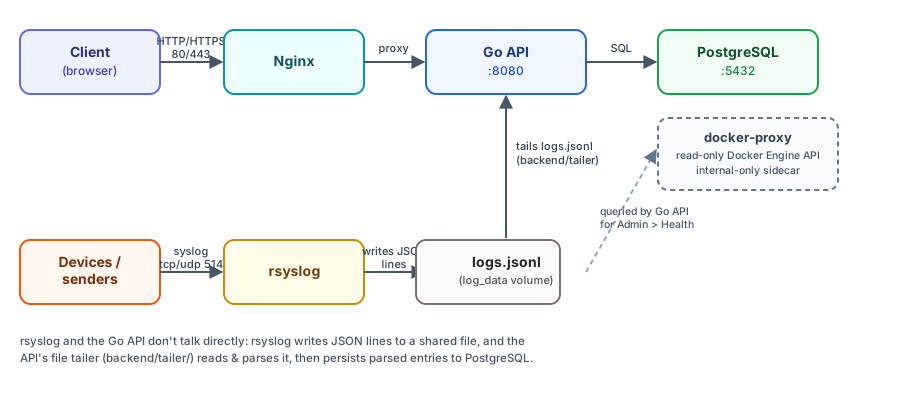
Logmara is a self-hosted platform for ingesting, parsing, and visualizing syslog data — a live log viewer, a regex-based parser engine, custom dashboards, alerting, and an admin panel, all behind JWT auth with no external dependencies.
See Logmara in action
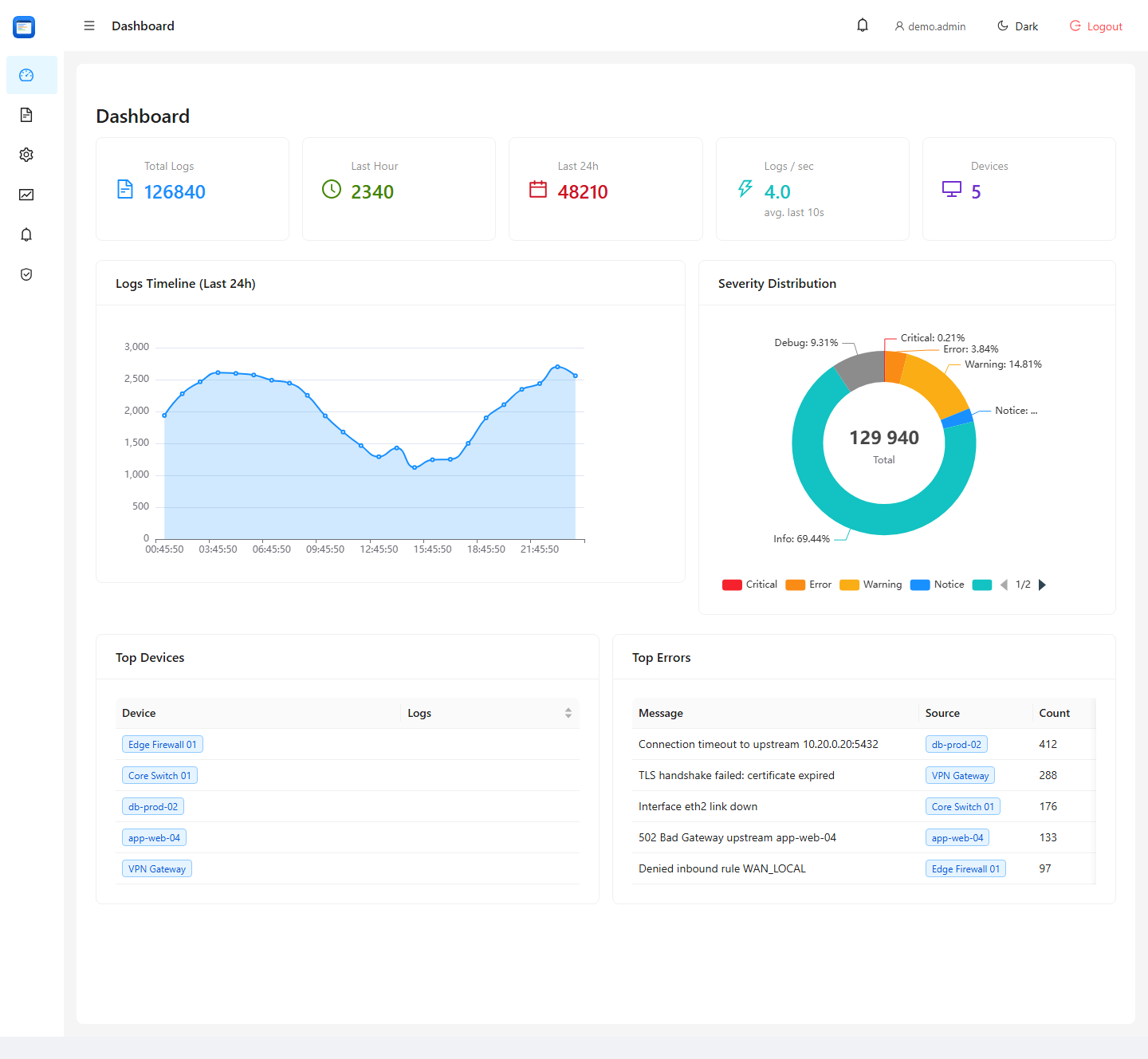
A live dashboard with real-time metrics, severity breakdown, and top errors — exactly what you'll see in the demo.
Everything you need to get your logs under control
From a raw syslog stream to a filtered dashboard — without writing a single line of code.
Live Log Viewer
Browse, filter, and search ingested syslog messages in real-time.
Parser Engine
Define regex-based parsers to extract structured fields from raw log lines.
Custom Dashboards
Create dashboards filtered by device, severity, or parsed fields.
Alerting
Field value thresholds, device silence, config changes, expiring relay certificates — with email, webhook, Slack, and Teams notifications.
LDAP / Active Directory
Authenticate against Active Directory or OpenLDAP with full TLS support.
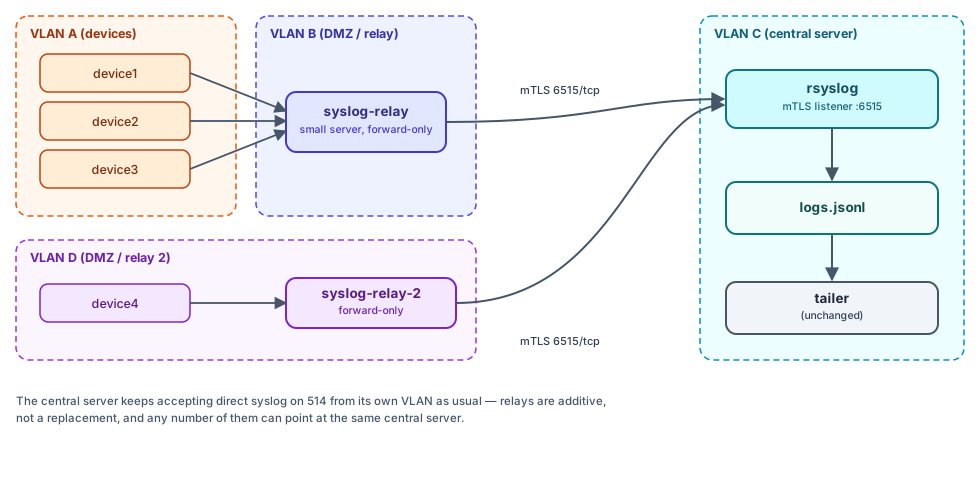
Syslog Relay (mTLS)
Collect logs from VLANs with no direct routing — encrypted, authenticated forwarding to the central server.
Health Monitoring
Container/Swarm service status and syslog relay liveness in one place.
Export
Download logs as CSV or generate HTML reports.
Admin Panel
User management, settings, audit log viewer, account lockouts, and LDAP connection test.
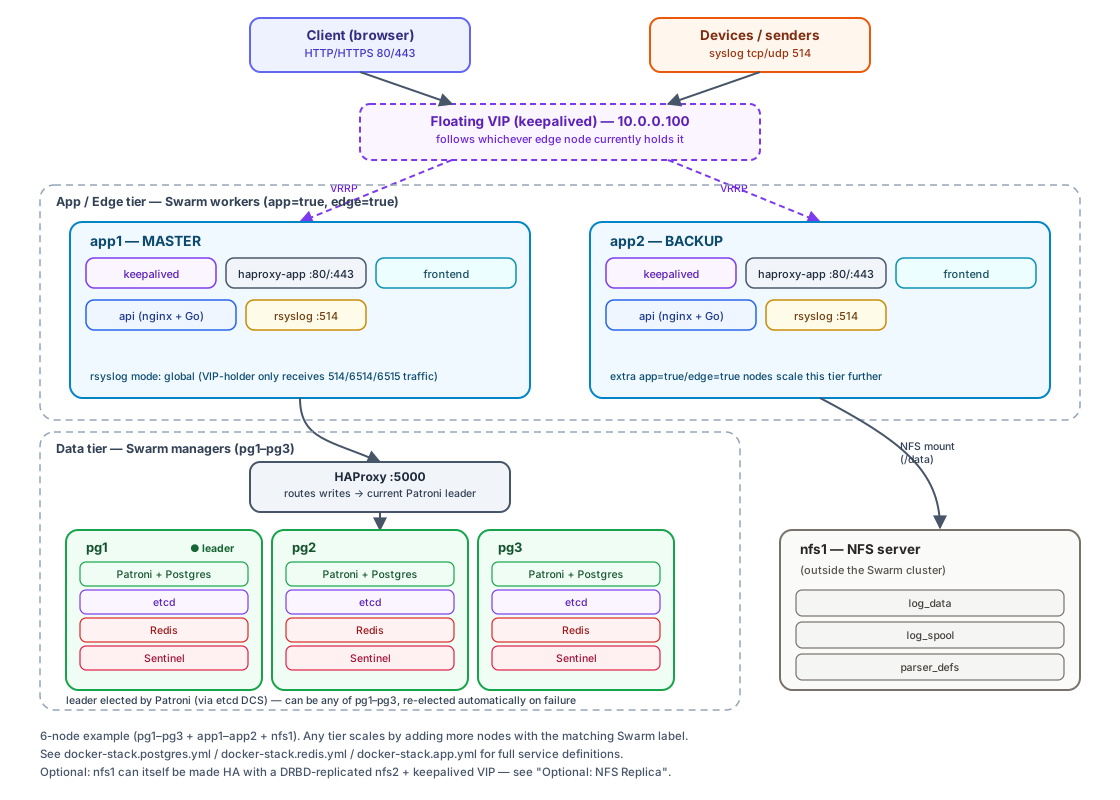
From a single server to full high availability
By default: one server, one command. Optionally: horizontal scale-out with Patroni + Redis Sentinel + Swarm.
Running in minutes, on a single server
Just one Linux server with a current kernel — Docker installs itself in the first step.
curl -fsSL https://get.docker.com | sh
sudo systemctl enable --now docker
# log out/in for this to take effect
sudo usermod -aG docker "$USER"
# example using ufw — adjust to your firewall
sudo ufw allow 80,443/tcp
sudo ufw allow 514/tcp
sudo ufw allow 514/udp
git clone https://github.com/dom133/Logmara.git
cd Logmara
cp .env.example .env

# generate and set in .env: POSTGRES_PASSWORD, JWT_SECRET, ENCRYPTION_KEY
openssl rand -base64 48   # → JWT_SECRET
openssl rand -base64 48   # → ENCRYPTION_KEY (a different value than above)
docker compose up -d --build
# check it came up
docker compose ps
http://<server-ip>